AI-Powered Customer Insights

Smarter Feedback
Instant Insights.

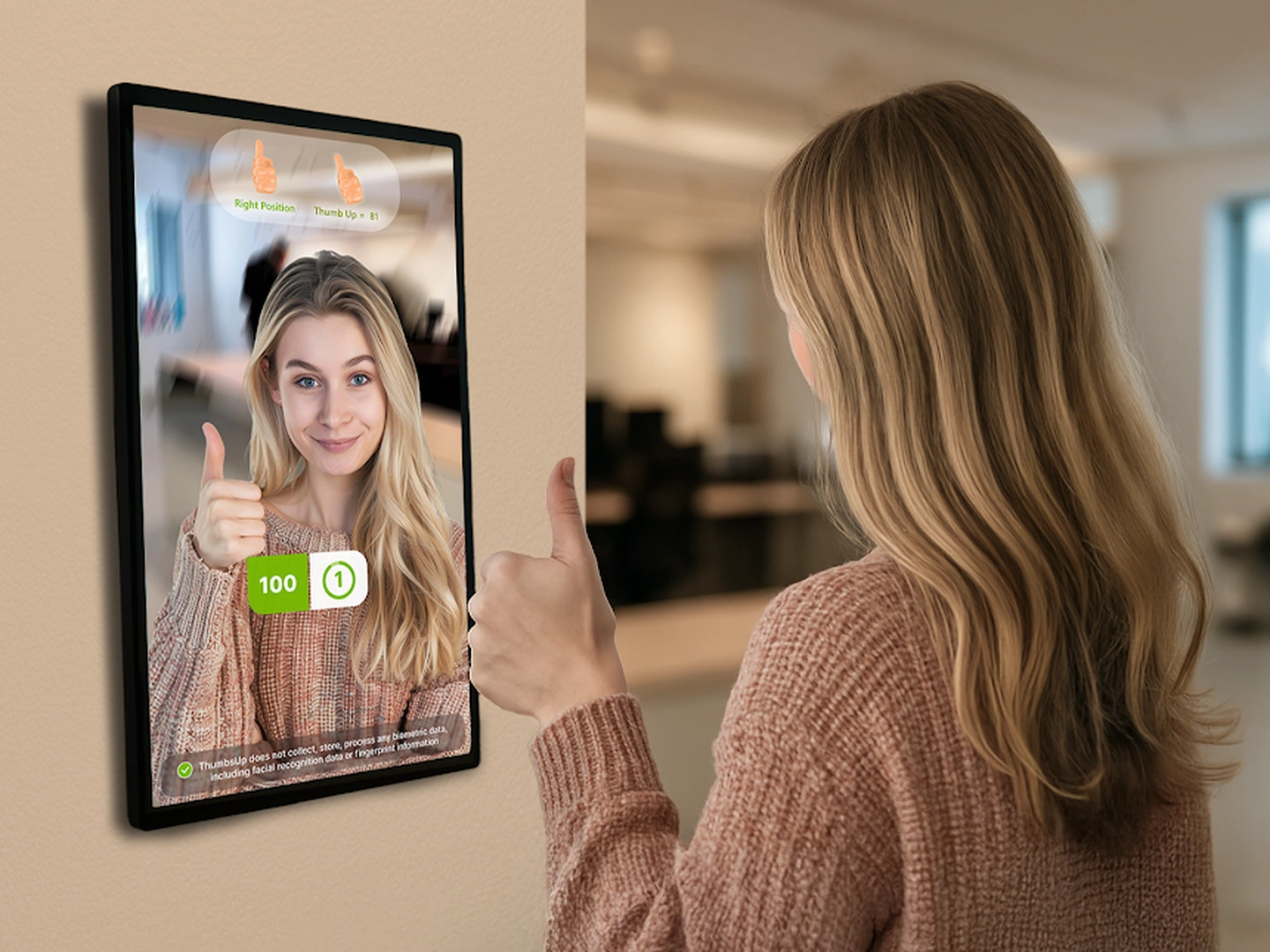
A touchless customer feedback system for physical businesses that transforms service interactions into powerful data — instantly.

Talk to Sales
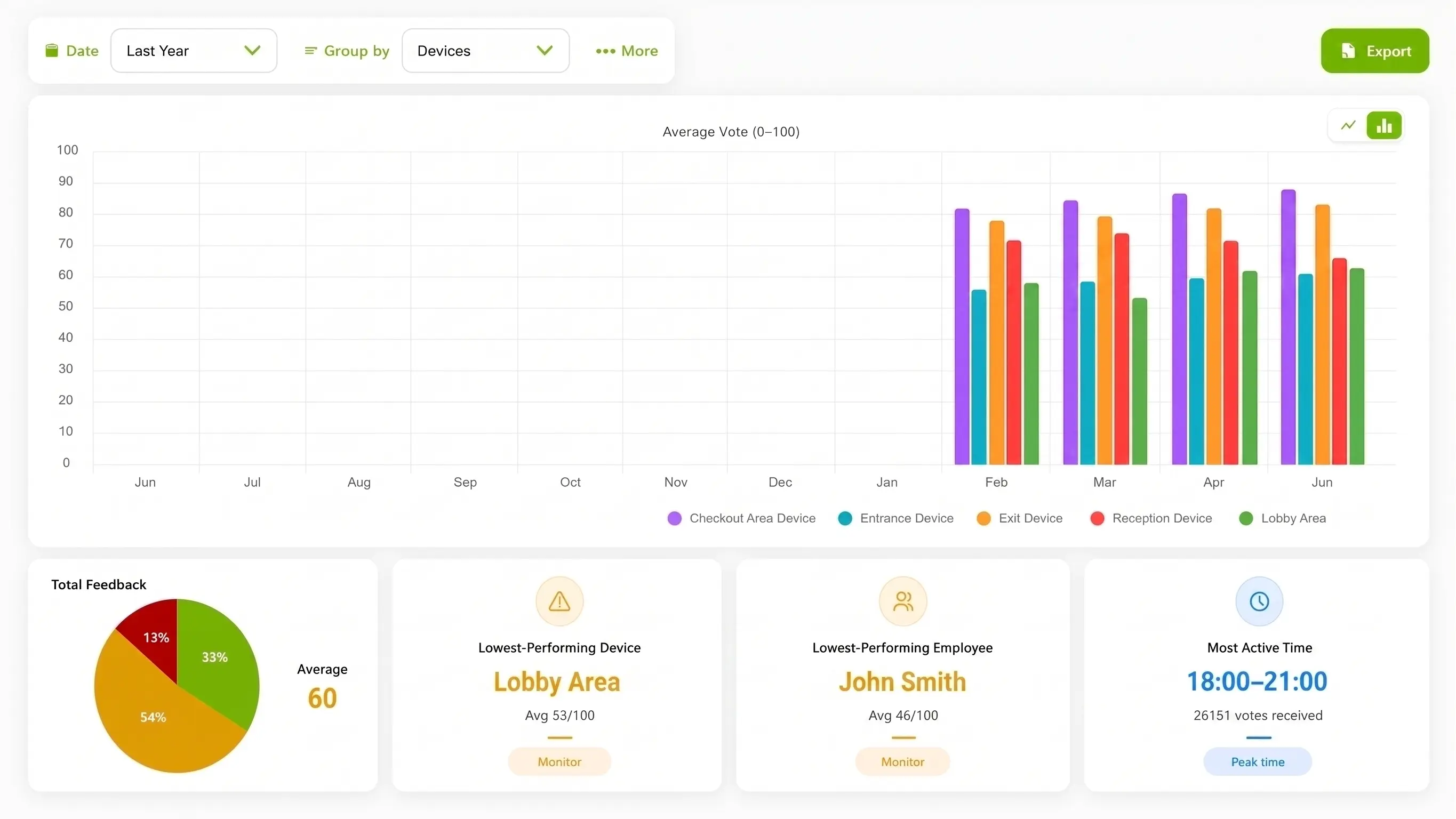
ThumbsUp dashboard showing customer feedback analytics

Everything You Need in One System

ThumbsUp combines customer feedback and employee management into a single, powerful platform.

Instant, Touchless Feedback

No apps, no screens to touch, no codes to scan — just a gesture. The system detects gestures and scores them from 0 to 100 in just seconds.

Device-First Privacy

Gesture inference runs on the compatible device. ThumbsUp does not send biometric data to the cloud for processing, subject to the deployed configuration.

Live Operational Alerts

Get real-time alerts when feedback patterns indicate declining service quality or when a device becomes inactive, so managers can respond quickly.

Smart Workforce Control

Owners and managers can manage staff, set hours, and track performance in real time.

✨ Featured Technology

AI Assistant & Smart Analytics

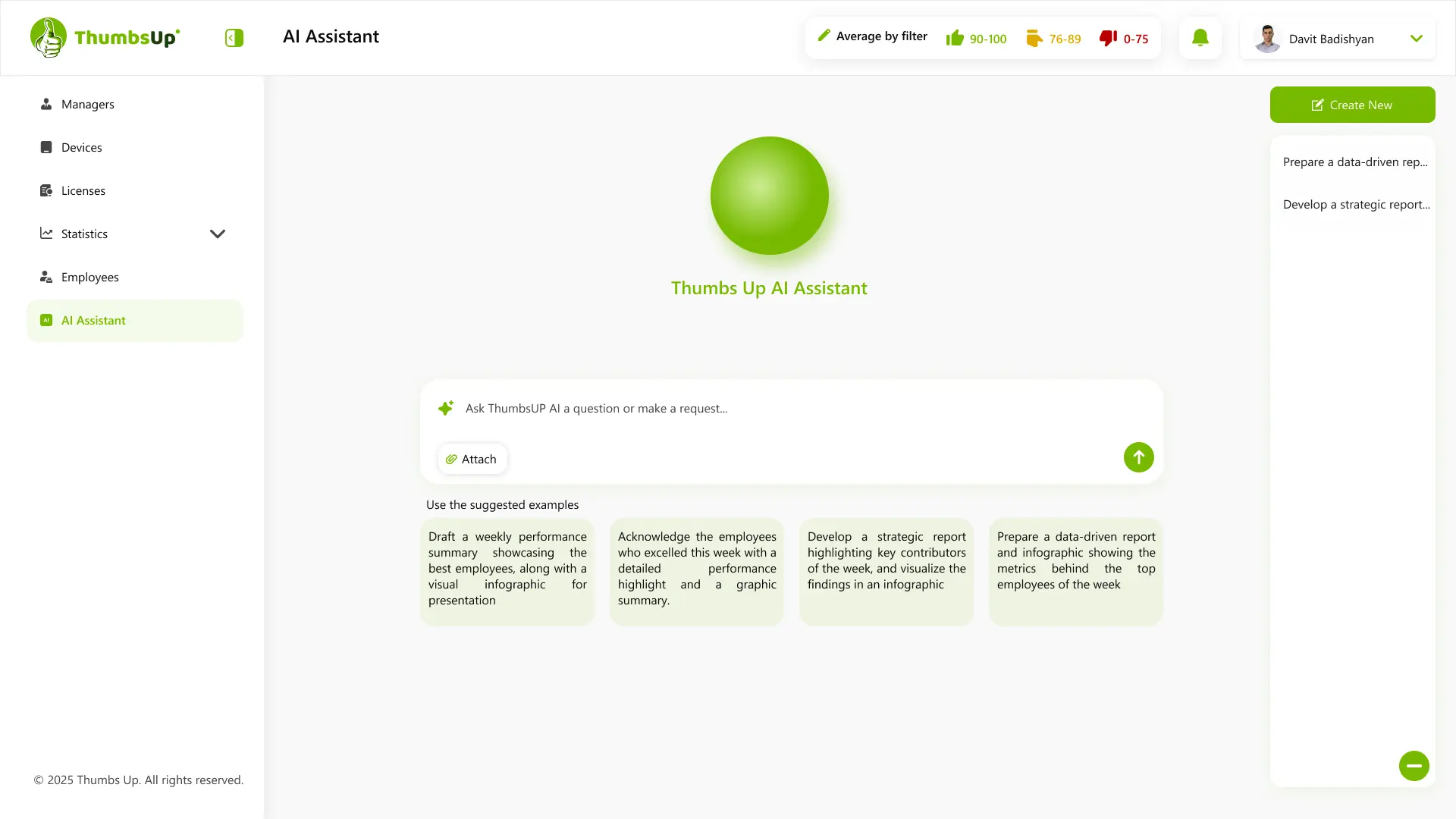
Get powerful insights with our built-in AI Assistant. Ask questions, generate reports, and uncover trends in your data with natural language. From weekly performance summaries to strategic recommendations, the AI Assistant transforms your data into actionable intelligence.

  • Generate data-driven reports and infographics automatically
  • Identify performance trends and employee contributions
  • Ask questions in plain language and get instant answers
ThumbsUp AI Assistant showing an operational feedback report

Make Feedback Easy to Give
and Easy to Use

Customers are busy, so the best feedback moment is clear, quick, and easy to join. ThumbsUp turns that moment into a clear service signal managers can review.

Other feedback methods

  • Phone-based response
  • App-based response
  • Written survey forms
  • Language-specific prompts
  • Longer response flows

ThumbsUp

  • Gesture response
  • Touch-free interaction
  • No app download required
  • Works without typing
  • One simple gesture

Simple, Fast, Frictionless

ThumbsUp makes feedback collection effortless for customers and instantly actionable for businesses.

No apps. No screens to touch. No friction.

Two Connected Apps, One Feedback System

The tablet app collects touchless feedback. The dashboard app gives authorized business users the operational view.

Feedback tablet app

ThumbsUp - Touchless Feedback

Runs on a compatible camera-equipped Android tablet. Customers show a hand gesture without touching the screen, scanning a QR code, downloading an app, creating an account, or logging in.

View on Google Play
Manager dashboard app

ThumbsUp Dashboard

Lets authorized business users review feedback, compare locations and devices, monitor employee-related results, and follow satisfaction trends over time.

Open on Web or Get the iOS & Android App

Smart Analytics, Powerful Insights

Every gesture becomes actionable data. Monitor customer satisfaction, track employee performance, and make informed business decisions — all from one intuitive dashboard.

ThumbsUp dashboard infographic with customer feedback analytics

Average Feedback Scores

Track satisfaction trends across devices and time periods

Operational Context

Review feedback by available time, day, location, device, employee, and shift context

Manager-Controlled Questions

Managers choose the question shown on the device—such as “How good was the cleaning service?”—and can change it whenever they need a different service signal.

Real-Time Insights

Make data-driven decisions with live performance metrics

No scan
No app required
1s
Response Time
100%
Contactless
24/7
Live Monitoring

Why Businesses Choose ThumbsUp

ThumbsUp gives physical businesses a compact way to collect and review a service signal at a defined customer-facing moment.

Touchless Collection

A supported hand or thumb gesture can capture a service signal without a public touchscreen, QR scan, app, account, or typed response.

Low-Effort Prompt

A short, clearly explained gesture prompt can fit a defined physical service moment with an accessible alternative.

Configurable Questions

Authorized managers can create or change the short question shown on assigned devices.

Operational Context

Authorized managers can review results by available time, day, device, and location context in the dashboard.

Built for Customer-Facing Businesses

ThumbsUp works wherever customers interact with your service. From restaurants to retail, healthcare to hospitality.

Restaurants

Fine dining, casual, quick service

Cafés & Takeaway

Coffee shops, bakeries, food counters

Beauty & Salons

Barbershops, hair salons, spas

Healthcare

Clinics, dental offices, waiting areas

Fitness Centers

Gyms, studios, wellness centers

Retail

Shops, boutiques, shopping centers

Auto Services

Service centers, garages, dealerships

Public Services

Government offices, service points

Perfect for any business where customer experience matters

Ask a useful question

Authorized managers set one short question. Customers answer it with a supported gesture.

Frequently Asked Questions

Direct answers about the ThumbsUp touchless feedback system.

What is ThumbsUp?

ThumbsUp is a touchless customer feedback system for physical, customer-facing businesses. It turns a compatible camera-equipped Android tablet into a feedback device and sends the results to a connected dashboard.

How does a customer give feedback?

The customer shows a hand gesture to the tablet camera. The system converts the thumb angle into a satisfaction score from 0 to 100.

Does the customer need an app or account?

No. Customers do not touch the screen, scan a QR code, download an app, create an account, or log in.

What is the difference between the two ThumbsUp apps?

ThumbsUp - Touchless Feedback runs on the customer-facing tablet. ThumbsUp Dashboard is for authorized business users who review and manage feedback results.

Can ThumbsUp support multiple locations?

Yes. The dashboard can organize feedback by assigned devices and locations so authorized users can compare operational results.

Can managers ask a custom question?

Yes. Authorized managers can create or edit short questions in Daily Questions, arrange them in a rotation, and choose the question shown on assigned devices. After Question Mode is enabled on those devices, customers see the active question and answer it with a supported hand gesture—for example, “How good was the cleaning service?”

What can businesses monitor?

Businesses can review 0-to-100 satisfaction scores, historical trends, device and location performance, employee-related results, and configured service-quality alerts.